Format Conversion in Pure Java: What Works, What Doesn't, and When to Bring in ONLYOFFICE
A conversion matrix across 7 Java libraries and ONLYOFFICE: where docx4j, POI, PDFBox, Commons Imaging, and Tika each shine and where they fall short.
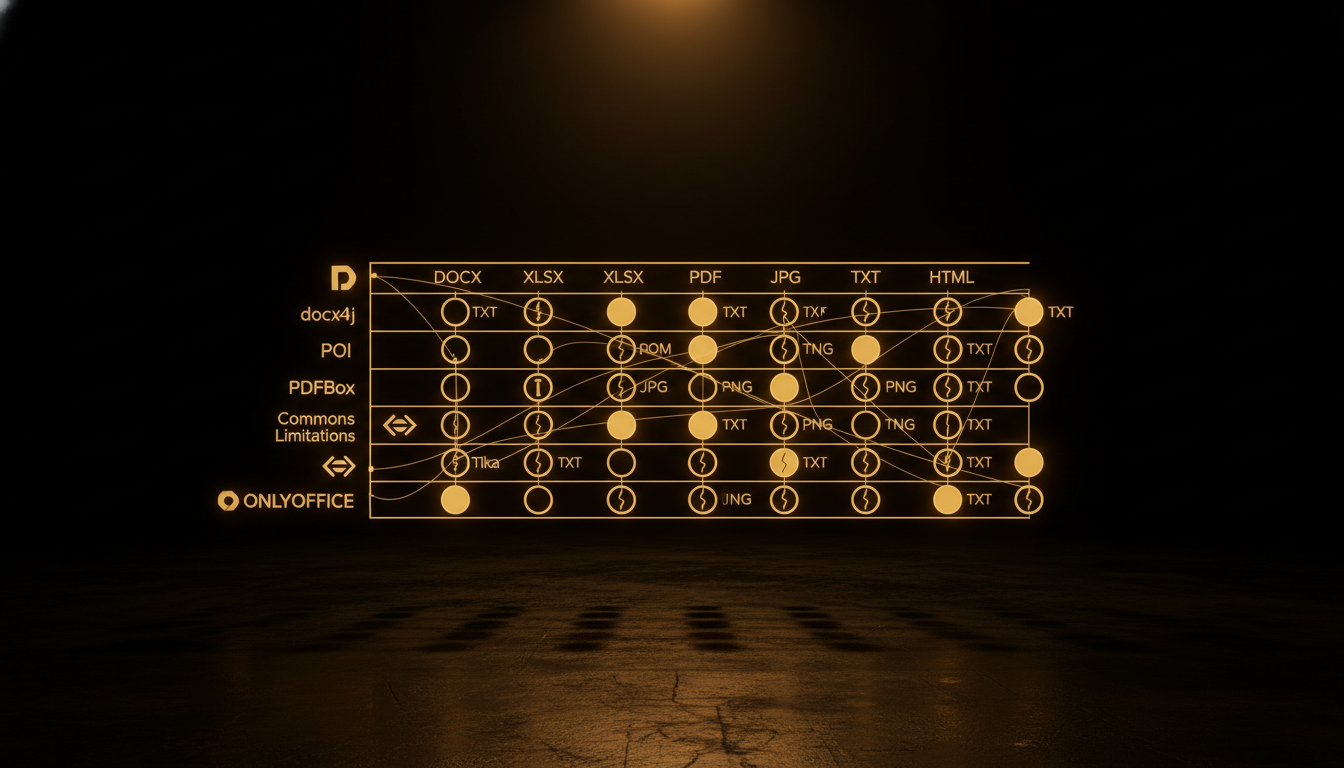
A client asks: convert any office document to PDF server-side at scale, no external API calls, no LibreOffice subprocesses. Pure Java only. No restrictions on RAM, but no dependencies on native binaries. Where do you start?
I spent a sprint answering that question the right way. Built a Spring Boot application, wired up 7 Java libraries, integrated ONLYOFFICE Document Server, deployed on Fly.io, and tested 12 file formats end to end. The result is a conversion matrix that separates the viable from the wishful.
This post is the annotated version of that matrix.
The Architecture at a Glance
The application is a Spring Boot 3.4 WAR deployed on Fly.io.
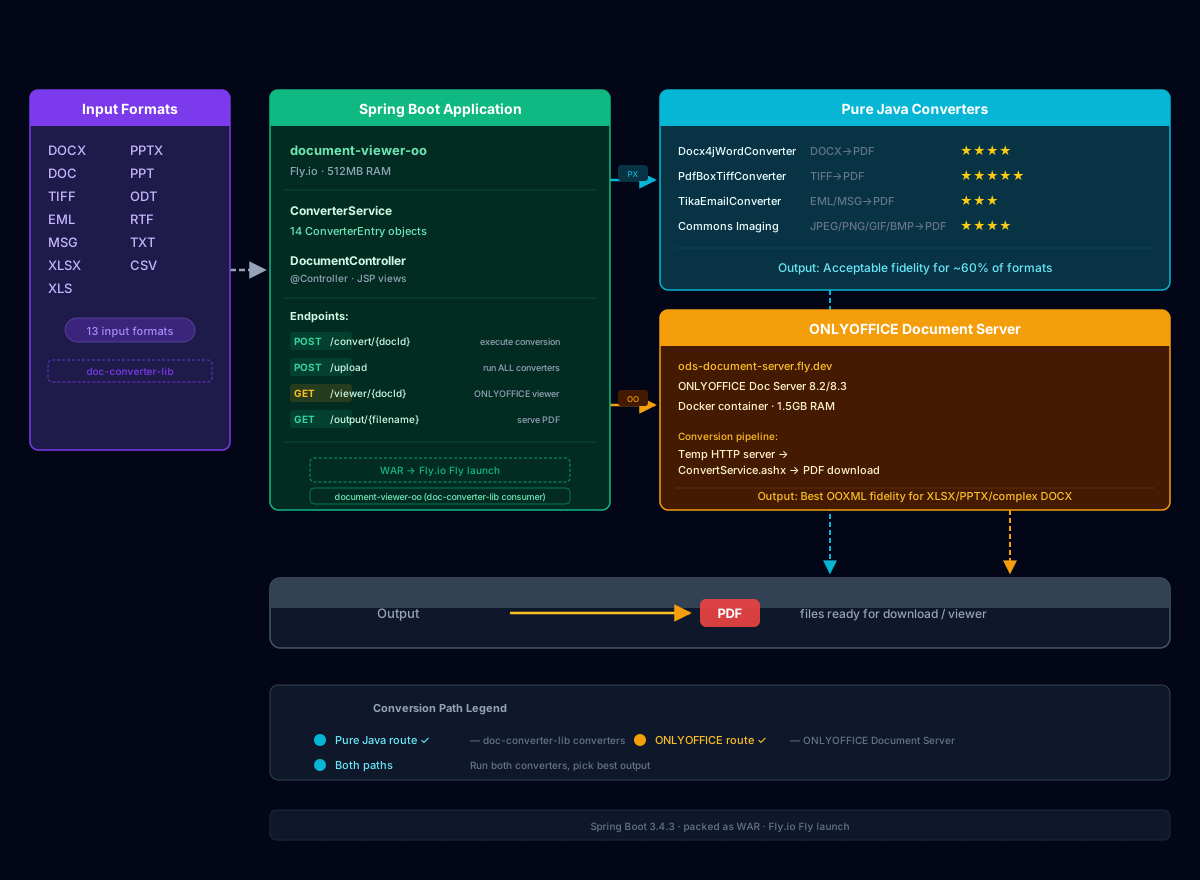
The document conversion architecture: 12 input formats enter the Spring Boot application on Fly.io, routed through either 7 pure-Java converters (Commons Imaging, PDFBox, docx4j, Tika, POI) for ~60% of the surface area, or ONLYOFFICE Document Server for complex XLSX, PPTX, and legacy formats.
A single converter service dispatches to the right library based on file extension. Each converter implements a common interface:
DocumentConverter {
    boolean supports(String extension);
    ConvertResult convert(InputStream input, String extension);
}
Seven implementations sit behind it. ONE document server runs alongside it. Every route renders in JSP with a progress bar and side-by-side comparison.
The Matrix: What Works
Images to PDF (Commons Imaging + PDFBox) -- Excellent
Apache Commons Imaging handles JPEG, PNG, GIF, and BMP including CMYK JPEGs that Java ImageIO silently fails on. PDFBox writes each image to a PDF page. Lossless embedding, no recompression. The only gap: animated GIFs produce only the first frame.
DOCX to PDF (docx4j + Apache FOP) -- Satisfactory
docx4j 11.5 with JAXB Reference Implementation and Apache FOP produces the best pure-Java DOCX fidelity. Styles, tables, basic headers and footers all survive. Complex layouts with floating images or advanced headers can degrade, but for standard business documents the output is production-usable.
TIFF to PDF (PDFBox 3.0) -- Good
Multi-page TIFF becomes multi-page PDF, one page per TIFF frame. PDFBox handles this natively with no additional dependencies.
Email to PDF (Apache Tika 3.1 + PDFBox) -- Good
Tika auto-detects EML, MSG (Outlook), and MBOX formats. Headers, body, and attachments are extracted and rendered into PDF cleanly. It is the unsung hero of this matrix.
The Matrix: What Doesn't (Well)
XLSX to PDF (Apache POI + OpenPDF) -- Text Only
Apache POI 5.4 reads cell values from XLSX workbooks. OpenPDF writes them to a PDF. Zero formatting, zero charts, zero merged cells, zero formulas. If your spreadsheet is a simple table of values, it works. If it looks like a spreadsheet anyone actually uses, it will not.
PPTX to PDF (Apache POI + OpenPDF) -- Text Only
Same story. POI extracts text per slide. No visual rendering, no images, no transitions, no layout. The output is the transcript of a presentation, not the presentation.
Legacy DOC to PDF (POI HWPF + OpenPDF) -- Text Only
HWPF handles old Word binary format but the same limitation applies: text extraction only.
The Turning Point: When to Bring in ONLYOFFICE
The matrix shows a clear divide. Images, DOCX, email, and TIFF can be handled entirely in Java with acceptable fidelity. XLSX, PPTX, and complex DOCX with heavy formatting require a real rendering engine.
ONLYOFFICE Document Server fills that gap. It runs as a Docker container (approximately 1.5 GB image, 4 GB RAM recommended). The JavaScript API embeds a viewer that renders DOCX, XLSX, and PPTX with fidelity matching Microsoft Office. Charts survive. Merged cells survive. Slide layouts survive.
The cost is operational: you now manage a stateful service with persistence, health checks, and resource guarantees. The Fly.io configuration for the demo runs it on a separate machine with auto_stop_machines = false and min_machines_running = 1.
Deployment Notes
Both services deploy on Fly.io in the YYZ region. The Spring Boot app uses 512 MB RAM -- sufficient for all seven converters plus the JVM overhead. ONLYOFFICE gets its own machine with more headroom.
A docker-compose.yml orchestrates both services locally. A k8s/onlyoffice-ds.yaml manifest is available for OpenShift or Tanzu deployments with 40 Gi PVC and liveness probes. The Kubernetes path is overkill for a demo but useful for enterprise environments where container orchestration is mandatory.
What I Would Do Differently
If I were building this for production today and the budget allowed it, I would skip pure-Java XLSX/PPTX conversion entirely and route all spreadsheet and presentation formats through ONLYOFFICE from the start. The limited POI output is not worth the complexity of maintaining both code paths. The only exception is DOCX: docx4j produces good enough output for a free path, and ONLYOFFICE adds a premium path for complex documents.
The other improvement is streaming. The current architecture reads the entire input into memory before conversion. For a demo this is fine. For files larger than 50 MB it becomes a problem. Switching to a temp-file buffering strategy with configurable limits would be the first production hardening step.
The Verdict
| Category | Pure Java Fidelity | Recommendation |
|---|---|---|
| Images to PDF | Excellent | Commons Imaging + PDFBox |
| DOCX to PDF | Good | docx4j as default, ONLYOFFICE for complex layouts |
| Email to PDF | Good | Tika + PDFBox |
| TIFF to PDF | Good | PDFBox |
| XLSX to PDF | Poor | ONLYOFFICE required |
| PPTX to PDF | Poor | ONLYOFFICE required |
| Legacy DOC to PDF | Poor | ONLYOFFICE required |
Pure Java handles approximately 60% of the conversion surface area with acceptable fidelity. The remaining 40% -- spreadsheets, presentations, and complex documents -- requires a real rendering engine. The engineering question is not whether pure Java can do it all. It is whether the operational cost of ONLYOFFICE is worth the fidelity gain for your use case.
For most internal automation pipelines, the answer is yes. Deploy ONLYOFFICE once, route everything through it, and skip the matrix entirely. But if you need a lightweight server-side converter with no external dependencies and you control your input formats, the pure-Java path covers more ground than most developers expect.